Schedule Report Delivery
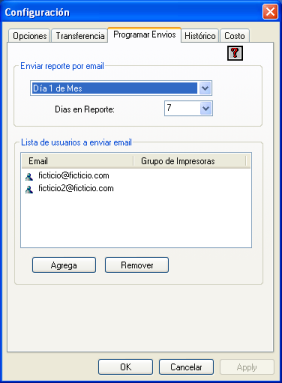
Once the email delivery settings have been configured in the Transfer tab, you can then specify when you want to receive the report. You can also specify the number of days included in the report and the email addresses of the recipients.
Delivery Frequency
You can choose whether you want to receive the email daily, on the first day of the month, twice a month, or on any day of the week.
Days in Report
This option allows you to configure the number of days that will appear in the report. In other words, the report will show the last X days counting back from the current day.
List of Users to Email
You can add a list of email addresses belonging to the users you want to keep informed about print usage. You can also filter and customize this report. This way, each user can receive a report containing only the printers relevant to their area of interest (such as Sales, Management, etc.), ensuring that the report is concise for each recipient.