Print Retention
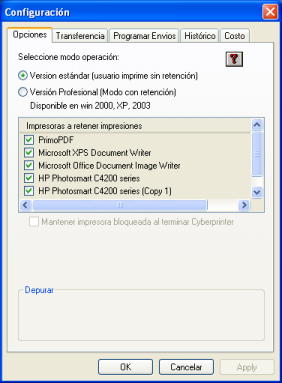
Cyberprinter has two operating modes:
Normal Printing:
Any document sent to the printer will be immediately printed and logged in the activity record. This mode is supported by any Windows operating system and is the default factory setting.
Printing with Retention:
Any document sent to the printer will be immediately paused and logged in the activity record. An operator command will be required to print the selected documents. You can choose which printers will retain documents; unselected printers will operate normally. To use this mode, you need at least Windows 2000, Windows XP, or Windows 2003 as the operating system for the Cyberprinter server. All other PCs on your network may run any other version of Windows.
Keep Printers Locked When Cyberprinter Ends
When this option is checked, all documents will remain paused even if Cyberprinter is closed. Normal operation will resume when the operator restarts Cyberprinter. This option ensures that Cyberprinter will run whenever the printer is used. If this option is not checked, the printers will print without pausing documents as soon as Cyberprinter is closed.